Watching the Premier League in 4K on your screen — a match-night guide
Manchester City, Liverpool, Arsenal, Manchester United, Chelsea, Tottenham — the Premier League is the most-watched league in the world, and a weekend of it means three or four matches back to back in a single day. This guide covers how to get your TV or device ready to last from the afternoon match to the late one, and what actually decides picture quality.
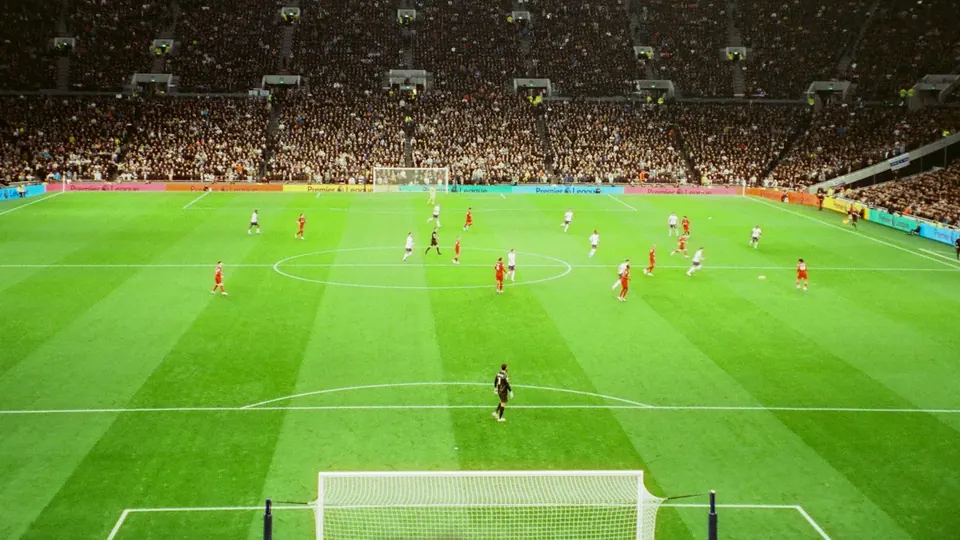
Why a Premier League weekend is unlike any other match night
The Premier League does not give you one evening match; it gives you a run of them across Saturday and Sunday, starting in the afternoon in Gulf and Egyptian time and stretching past midnight, plus Monday and Friday nights and the crowded mid-week rounds of the holiday period. That means your device and connection work for hours on end, and heat, memory and network congestion all build up over time. A device that plays the first match perfectly can start to stutter by the third if it is not prepared. So the focus here is long-run stability: an updated app, a device that can breathe, and a connection measured at peak time rather than in the morning.
Kick-off times and how to plan your day
Most Premier League matches are played on Saturday and Sunday, spread over three or four slots a day in UK time — afternoon and evening in the Gulf and Egypt. The first match of the day is often the most-watched in the Middle East because it falls at a comfortable hour, while the late match coincides with peak home internet use.
Check the official time of each match and convert it to your local time — the time difference changes twice a year with British Summer Time. Then have your device ready an hour before the first match, not only before your own team plays.
The fixtures that deserve extra preparation
The Manchester derby, Liverpool against Manchester United, the North London derby between Arsenal and Tottenham, and the title deciders in the final months of the season — these are watched by everyone at the same moment, and any weakness in your home network shows more here than anywhere. On those nights: use a cable where you can, pause everything else that uses the internet at home, and start in high definition before stepping up to 4K once the connection holds.
How to watch the Premier League on each device
- Smart TV (Samsung / LG / Android TV / Google TV)
Open the TV’s app store, install a compatible player app, then enter the subscription details you receive after payment. Start on automatic quality and raise it once the connection proves steady.
- Fire TV Stick and Android devices
Install the app from the Amazon or Google Play store, enter your details, and pin the app to the first row of the home screen so it is one click away on match day.
- iPhone, iPad and Apple TV
Use a compatible player from the App Store, and turn on picture-in-picture where available so the match keeps playing while you use other apps.
- Computer and laptop
Play through a compatible desktop app or a player that supports playlists. Use an Ethernet cable where you can — steadier than Wi-Fi on match nights.
The right internet speed for Premier League matches in 4K
We suggest 15 Mbps for high definition and 30 Mbps for 4K channels. What matters is the speed that reaches the viewing device itself, not the figure on your internet contract. An Ethernet cable or 5GHz Wi-Fi gives the steadiest result.
Premier League weekend checklist
- Test playback an hour before the first match of the day, then keep the app open between matches instead of closing and reopening it.
- On a long match day, restart the device once between the afternoon and evening slots to clear its memory.
- Pause downloads, games and video calls on the same network during the match.
- On Wi-Fi, move closer to the router or use the 5GHz band at short range.
- Start in HD and switch to 4K when the connection holds — higher quality needs more data.
- Keep your subscription details private; never share them in public groups.
Fixing buffering during Premier League matches
Usually congestion on the home network. Pause downloads, move the device closer to the router, and drop the quality one step for a while.
Restart the app. If it persists, switch the video player in the app’s settings where that option exists.
Try another channel first. If nothing plays, it is the connection or the details — message us on WhatsApp with your device and app.
Final quality depends on the source, your screen and your connection speed. Make sure the app is set to its highest quality and the connection can carry it.
Premier League viewing — frequently asked questions
Can I watch the Premier League in 4K on a Smart TV?
Playback can reach 4K depending on the source, your screen and your connection speed. Set the app to its highest quality and make sure the connection delivers a steady 30 Mbps at the TV itself at match time.
When do Premier League matches kick off in Saudi and Egyptian time?
Mostly in the afternoon and evening on Saturday and Sunday, with night matches on some Mondays and Fridays and mid-week rounds. Check the official time for each match, and note that the time difference shifts with British Summer Time.
My device plays the first match well and then starts to stutter — why?
Usually heat and memory building up after hours of playback, or the network getting busy as the evening starts. Restart the device between matches, make sure it is ventilated, and drop the quality one step if the network is congested.
Can I follow the match on my phone away from home?
Yes, through a compatible app on Android or iPhone. On mobile data, quality depends on signal strength where you are; use Wi-Fi whenever you can.
How many devices can play at the same time?
We help you set up on two devices, with playback on one device at a time. If you need more than one screen on match night, ask before ordering.
Is the Premier League included in the plan?
Competition availability varies by source and plan. If the Premier League is the reason you are subscribing, message us on WhatsApp and we confirm the details before you pay.
Competition and channel availability varies by source and plan, and picture quality and stability depend on your device and connection speed. If one competition is the reason you are subscribing, ask us about it on WhatsApp before you order.
Ready for a Premier League weekend?
Pick the subscription length that suits you and we will walk you through the setup on your device before the first match.
Read next
 Subscriber guideIPTV subscription in the UK: the complete guide before you buy — internet, devices and timing
 Viewing guideWatching the Champions League in 4K on your screen — a match-night guide
 Viewing guideWatching La Liga and El Clásico in high quality on your screen — a match-night guide
 Choosing guideThe best IPTV app for a Smart TV and phone in 2026: choosing by your device, not by the adverts
 Viewing guideWatching the Saudi Pro League on your screen in high quality — a match-night guide
 Viewing guideWatching the Egyptian Premier League on a Smart TV — a match-night guide