The best IPTV app for a Smart TV and phone in 2026: choosing by your device, not by the adverts
“The best IPTV app” is a question with no single answer, because the answer depends on your device first: what runs on Fire TV does not exist on Samsung, and what exists on iPhone may not be on Apple TV. This guide explains the three app categories as they really are — our official apps, store players, and desktop players — which suits each device, and what separates a good app from another.
Why there is no single “best app”
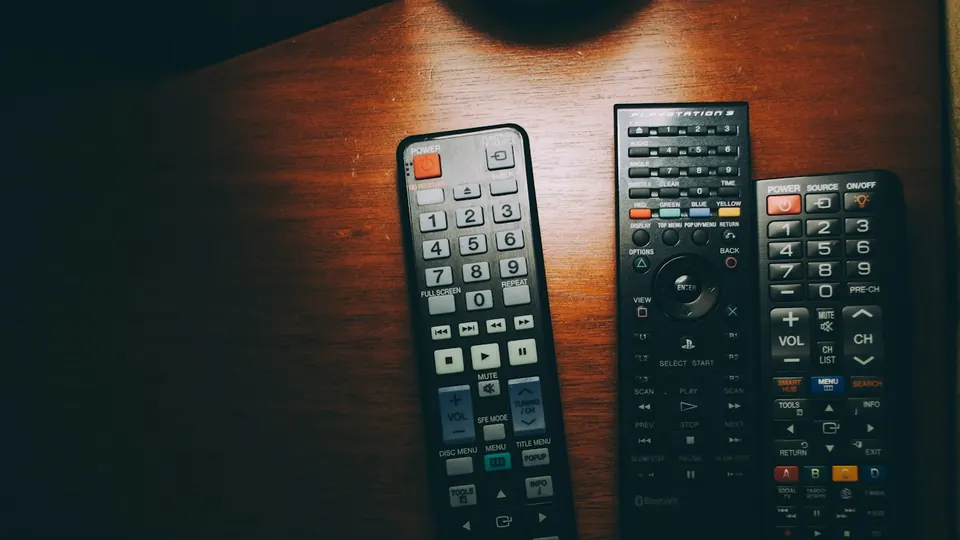
Because each platform has its own store and its own rules. Fire TV and Android devices accept apps from outside the store, so we install our official apps on them directly with a Downloader code — the best option because they are built for the service and updated with it. Samsung and LG accept only what is in their store, so the choice is third-party players activated by MAC address. Apple accepts only the App Store, so the choice is a player compatible with Xtream Codes. And a computer runs any player that reads playlists. The honest comparison, then, is not “which app is best” but “which app is available for your device and does what you need”.
Category one: the official TV Strong 4K apps (Fire TV and Android)
Three apps — Strong TV 4K, Fast 4K Player and 4K Player VIP — installed through the Downloader app with a short code from the apps page, on the Fire TV Stick, Android TV and Google TV sets and Android boxes. Their advantage is that they are ready for the service with no long manual setup, and updates reach you the same way. If your device accepts Downloader, this is your first choice.
Category two: TV-store players (Samsung, LG, VIDAA)
IBO Player, IBO XPlayer, HQ Player, CR Player, Duplex TV, MessiTV and Smarters VPN Player — third-party players installed from the TV’s store, activated by the MAC address the player shows on first open: you photograph it, send it to us, and we activate the subscription on it without typing any details. Their availability depends on your country and model year, and we do not own them nor does our plan include their licences. Whichever appears in your store is enough — the method is the same.
Category three: Xtream Codes players (Apple, phones, computers)
On iPhone, iPad, Apple TV, phones and computers you use a player that accepts Xtream Codes details (server URL, username and password) or an M3U link. What separates one player from another here: a clear channel guide (EPG), multiple favourites, an option to switch the internal video player when playback stutters, and picture-in-picture. Message us and we recommend what is currently available for your system — store availability changes.
What actually makes an app good?
- Opens within seconds and loads a large list without freezing.
- A working channel guide, favourites you can arrange, and quick search.
- An option to switch the internal video player — it solves half of the audio and picture problems.
- Remembers the last channel and the quality you chose.
- Updated regularly and shows no adverts that interrupt viewing.
The right app for each device — in order
- Fire TV Stick, Android TV, Google TV and Android boxes
Our official apps through Downloader with the code from the apps page. Steps in the Fire TV guide and the Android TV guide.
- Samsung (Tizen) and LG (webOS)
One of the supported store players, activated by MAC. Steps in the Samsung guide and the LG guide.
- iPhone, iPad and Apple TV
A compatible player from the App Store with Xtream Codes details — the iPhone guide and the Apple TV guide. Message us to confirm what is currently available.
- Windows and Mac
A desktop player that supports Xtream Codes, or VLC with an M3U link for quick playback. The Windows guide and the Mac guide.
- An older TV with no suitable store
An external device — a Fire TV Stick or an Android box (which one?) — then our official apps on it.
Internet speed does not depend on the app
Whatever the app, the picture needs a steady 15 Mbps for high definition and 30 Mbps for 4K, measured on the viewing device itself. A good app cannot make up for a weak connection, but it lowers the quality intelligently instead of freezing.
Before you install any app
- Know your device’s system first: Fire OS, Android/Google TV, Tizen, webOS, iOS, or a computer.
- On Fire TV and Android: our official apps first.
- On Samsung and LG: a store player activated by MAC.
- On Apple and computers: a player that accepts Xtream Codes or M3U.
- Do not install apps from unknown links; the store or Downloader with our codes only.
- Keep your subscription details private; never share them in public groups.
Common problems when choosing an app
App availability varies by country and model year. Try the other supported players, or an external device over HDMI.
Switch the internal video player in the app’s settings where the option exists, and restart it.
Large lists need a minute the first time. If it recurs, clear the app’s cache or try another player on the same device.
Message us on WhatsApp with the device type and model and we recommend what is currently available within minutes.
IPTV apps — frequently asked questions
What is the best IPTV app for a Samsung TV?
One of the supported players in the Samsung store — IBO Player, HQ Player, Duplex TV and others — activated by MAC. Whichever is available for your model in your country is enough; the method is the same.
What is the best IPTV app for a Fire TV Stick?
The official TV Strong 4K apps through Downloader with the code from the apps page — built for the service and updated with it.
Are there free apps?
Store players are mostly free or have a free version, and our official apps are free. The subscription is what runs them.
What is the difference between Xtream Codes and M3U in the app?
Xtream Codes: a server URL, a username and a password, usually with a better channel guide. M3U: a single playlist link that works in general players such as VLC. See the Xtream Codes vs M3U explanation.
How many devices can play at the same time?
We help you set up on two devices, with playback on one device at a time. If you need more than one screen, ask before ordering.
Can I change the app later?
Yes. On Xtream Codes devices you enter the same details in the new app; on MAC players, send us the new player’s MAC and we update the activation.
App names and their store availability change by country and over time, and these players are third-party apps we do not own and our plan does not license. Picture quality and stability depend on the source, your device and your connection speed. Message us on WhatsApp with your model and we confirm what is currently available.
Know your device? Pick your plan
Pick the subscription length that suits you and we recommend the right app for your device and set it up with you step by step.
Read next
 Plain explanationXtream Codes vs M3U vs MAC activation: which method to use to run your subscription
 Buying guideFire TV Stick, Android box or Apple TV? Which external device to buy for your TV
 Setup guideSetting up your subscription on a Samsung or LG Smart TV — a step-by-step guide
 Setup guideSetting up your subscription on iPhone, iPad and Apple TV — a step-by-step guide
 Viewing guideWatching films and series in 4K: what actually decides picture quality on your screen
 Family guideFamily viewing: kids’ lists, a PIN lock, and channels organised for everyone at home