An IPTV receiver in Saudi Arabia: do you really need one? The best IPTV device for your TV in 2026
Looking for an “IPTV receiver” in Riyadh, Jeddah or Dammam? Before you buy new hardware: many homes do not need a receiver at all. This guide explains the difference between a satellite receiver and an IPTV device, when your smart TV is enough on its own, how to choose a device (Fire TV Stick, Android box or Apple TV) if you do need one, and why to be careful with “receiver with subscription” and “lifetime” offers.

What does “IPTV receiver” actually mean?
A satellite receiver picks up channels from a dish, while IPTV reaches you over the internet and needs neither a dish nor a satellite receiver. What shops sell as an “IPTV receiver” is usually a small Android device that plugs into the TV, sometimes with a subscription preinstalled. The real question is not “which receiver should I buy?” but “is my TV enough on its own, and if not, what is the simplest device for it?”.
Do you need a device at all? Three cases
- A recent Samsung or LG TV: usually not. A player from the TV’s store activated by MAC is enough — the Samsung guide and the LG guide.
- An Android TV or Google TV screen (Sony, TCL, Hisense and others): no device needed — our apps install on it directly. The Android TV guide.
- An older screen, or one without an app store: yes, a small device on an HDMI port — the options are in the next section.
Which device to choose if you need one
- Fire TV Stick: the simplest and smallest, and our official apps install on it with a Downloader code. Right for most homes. The Fire TV guide.
- A certified Android box (Android TV or Google TV): an Ethernet port, USB ports and more apps — right for the main screen in the majlis or living room.
- Apple TV: the smoothest for homes with Apple devices, with a player from the App Store. The Apple TV guide.
- The detailed comparison of the three is in the buying guide.
Specs to check before buying
- A certified Android TV or Google TV system, not a generic “Android” with an odd interface — certified boxes get updates and the Google Play store.
- At least 2 GB of RAM (4 is better) and 16 GB of storage or more.
- 5 GHz Wi-Fi, and preferably an Ethernet port for the main screen.
- 4K and HDR support and an HDMI 2.0 port if your screen is 4K.
- A warranty from a known seller — cheap no-name boxes are the first thing to fail during a match.
“Receiver with subscription” and “lifetime”: why to be careful
- A preinstalled subscription is usually tied to one device and one service: if the service stops, the box becomes useless.
- “Lifetime” promises come with no guarantee: any streaming service has ongoing running costs — treat it as a warning sign.
- The better route: an ordinary device that you own, and a separate subscription with a clear length that you renew or change whenever you like.
- With a separate subscription we help you set up on two devices, with playback on one device at a time.
How to order from Saudi Arabia
You pick the subscription length in the store (prices in riyals for visitors in Saudi Arabia), complete the order or message us on WhatsApp, and pay with stc pay or a bank transfer to SNB (Al Ahli) or Al Rajhi. Once the payment is confirmed, your details reach you in the method that suits your device, and we help you set up on two devices, with playback on one device at a time. Everything about subscribing from Saudi Arabia is in the Saudi subscription guide.
Start with the device you have
- A Samsung or LG TV
A player from the TV’s store activated by MAC — no extra device. The Samsung guide and the LG guide.
- An Android TV or Google TV screen
Our official apps directly on the screen with a Downloader code from the apps page. The Android TV guide.
- A Fire TV Stick or an Android box
Same method: Downloader with a short code. The Fire TV guide.
- Apple TV or an iPhone
A compatible player from the App Store. The Apple TV guide.
A good device does not make up for weak internet
A steady 15 Mbps for high definition and 30 Mbps for 4K at the screen itself. If the screen is far from the router, an Ethernet cable or a mesh network comes before any new device — most stutter comes from the Wi-Fi, not the device.
Before you buy any device
- Know your TV’s model and system — you may not need a device at all.
- Try the free 24-hour trial on your TV first.
- If you buy a device: a certified system, 2 GB of RAM at least, 5 GHz Wi-Fi.
- Avoid “lifetime” offers and devices without a warranty.
- If a specific channel or competition is the reason you are subscribing: ask us about it on WhatsApp before paying.
- Keep your subscription details private; never share them in public groups.
The most frequent device problems and their fixes
Usually too little memory or an uncertified system. Clear the app’s cache, close background apps, and if it continues consider a certified device.
Use Downloader with a code from the apps page, or try the other supported players.
You can usually use it with our subscription if it runs Android and accepts app installs — send us a photo of the device settings on WhatsApp.
The problem is usually the Wi-Fi. Move closer to the router or use an Ethernet cable, and start in HD.
Frequently asked questions about IPTV receivers
Do I need a satellite receiver or a dish to watch IPTV?
No. IPTV runs over the internet only, on a smart TV, a small device or even a phone.
What is the best IPTV device in Saudi Arabia?
For most homes the Fire TV Stick is the simplest, a certified Android box suits the main screen, and Apple TV suits homes with Apple devices. If your TV is a recent Samsung or LG, you usually do not need a device.
Should I buy a receiver with a subscription already on it?
An ordinary device and a separate subscription is better: you renew or change it whenever you like, and your device does not stop if the service changes.
How much is the subscription in riyals?
The one-month plan is 41 SAR and the 12-month plan is 230 SAR — every length with its riyal price is in the store before you order.
Is there a trial before subscribing?
Yes, a free 24-hour trial once per phone number. Ask for it on WhatsApp and test it on your own device and connection before you pay.
How many devices can play at the same time?
We help you set up on two devices, with playback on one device at a time. You can watch on more than one device, just not at the same moment.
Specs and prices vary by model and shop, and player availability varies by TV model and version. Picture quality and stability depend on your device and your connection speed. Send us your TV model on WhatsApp and we tell you what suits it before you buy.
Try it on your TV before buying any device
Ask for the free 24-hour trial, and we tell you on WhatsApp whether your TV is enough or which device suits it.
Read next
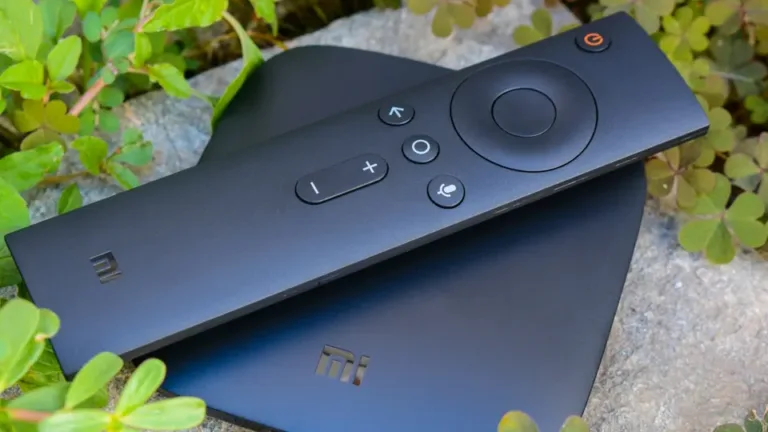 Buying guideFire TV Stick, Android box or Apple TV? Which external device to buy for your TV
 Subscriber guideIPTV subscription in Saudi Arabia: the complete guide before you buy — internet, devices, timing and what to expect
 Choosing guideThe best IPTV app for a Smart TV and phone in 2026: choosing by your device, not by the adverts
 Plain explanationXtream Codes vs M3U vs MAC activation: which method to use to run your subscription
 Viewing guideWatching the Saudi Pro League on your screen in high quality — a match-night guide
 Series guideGulf and Saudi series on IPTV: how to follow them on your screen — a 2026 viewing guide